More than just an ink supplier, we’re here to help your pressroom run as efficiently as possible. With years of experience under their belt, the Wikoff Technical Solutions team has seen it all, and helped solve the problems that keep water-based flexo printers up at night.
The next time you encounter one of these 15 most common water-based flexo issues on press, consult this simple guide for our expert recommended solutions.
1. Ink is drying too fast
The ink is drying on your plates, your ink rollers and maybe your anilox. It may even be failing to transfer to the substrate.
| POSSIBLE CAUSE | POSSIBLE SOLUTION |
|---|---|
| Too much heat from dryers or air blowing on print station | Reduce dryer heatEliminate air flow on print station |
| Slow press speeds | Clean the plates and increase press speed |
| Improper ink pH | If pH is below 8.8, increase it with the recommended additive* |
*Wikoff Color Technical Data Sheets list the recommended additives for pH adjustments
2. Ink is drying too slow
The ink is picking off, offsetting on the press idler and might be causing blocking issues.
| POSSIBLE CAUSE | POSSIBLE SOLUTION |
|---|---|
| Ink viscosity is too high | Reduce ink viscosity* |
| Drying systems are insufficient | Increase warm air flow |
| Improper ink metering | Replace doctor blade and/or make sure chamber is parallel |
*Wikoff Color Technical Data Sheets list the recommended solvents for viscosity adjustments
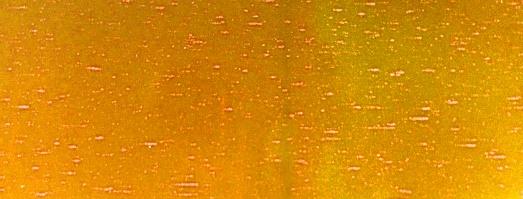
3. Pinholes
You’re seeing tiny holes in your print area, sometimes called fisheyes.
| POSSIBLE CAUSE | POSSIBLE SOLUTION |
|---|---|
| Substrate dyne level is low, possibly related to improper treatment | If ink adhesion is OK, add 0.5% pinhole additive under agitation |
| Too much defoamer has been added to the ink | Add fresh ink to reservoir |
| Ink viscosity is too low | |
| Anilox roller is worn | Clean or change anilox roller |
| Ink is drying too fast | Slow the ink dry rate* |
| Plate mounting tape is too soft | Use a harder mounting tape |
*Wikoff Color Technical Data Sheets list the recommended additives for drying adjustments
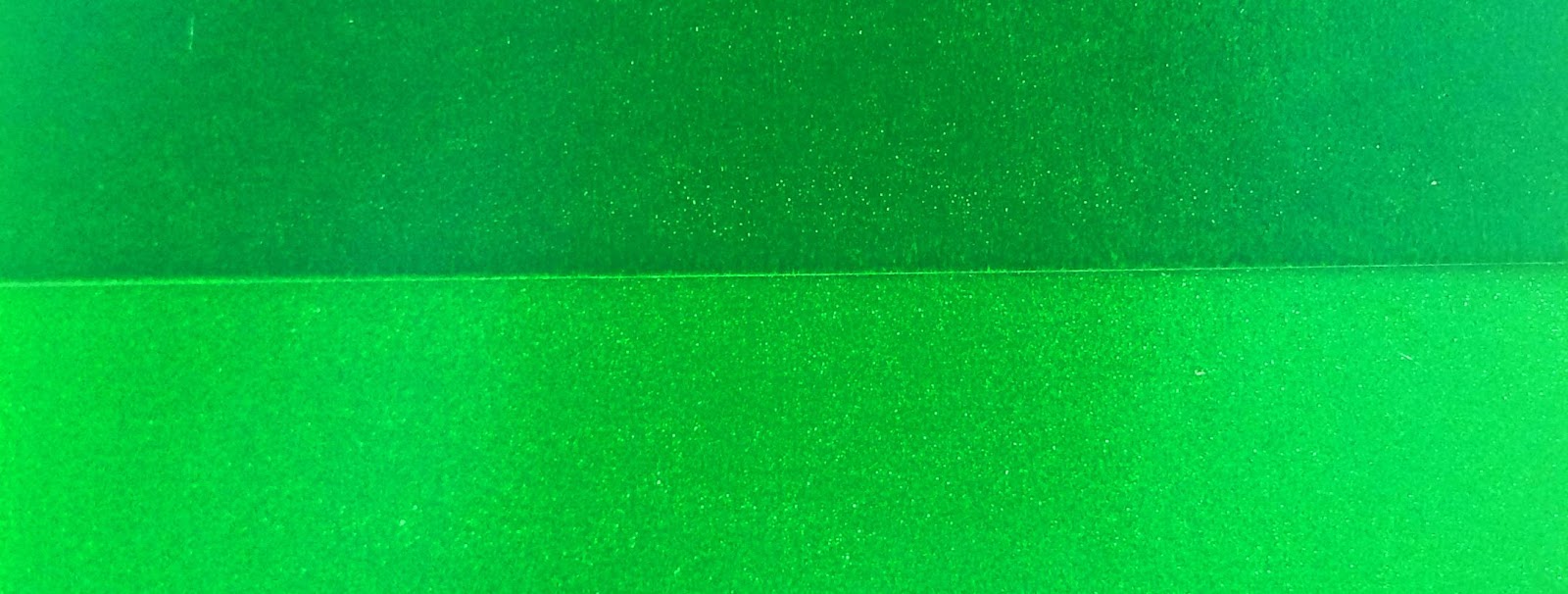
4. Print is too strong
Print density is too high.
| POSSIBLE CAUSE | POSSIBLE SOLUTION |
|---|---|
| Ink viscosity is too high | Reduce ink viscosity* |
| Improper metering roller or doctor blade settings | Increase metering roller pressure |
| Anilox cell volume is too high | Use lower volume anilox |
| Ink is too strong | Reduce ink with extender |
*Wikoff Color Technical Data Sheets list the recommended additives for viscosity adjustments
5. Print is too weak
Print density is too low.
| Possible Cause | Solution |
|---|---|
| Ink viscosity is too low | Increase metering roller pressure- Less than 1,000 hours/bulb |
| Anilox roller is plugged | Replace doctor blade |
| Anilox cell volume is too low | Use higher volume anilox |
| Anilox is worn | Change anilox roller |
| Improper metering roller or doctor blade settings |
6. Haloing
That pesky shadow or line is showing up on the outer edge of your image areas.
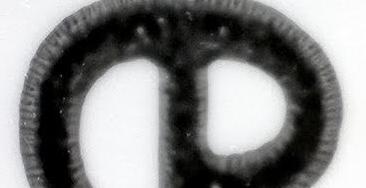
| POSSIBLE CAUSE | POSSIBLE SOLUTION |
|---|---|
| Plate cylinder is over impressed onto substrate | Reduce impression |
| Plate mounting tape is too hard for the images | Remount plate with softer tape |
7. Picking
You’re seeing spots or ink being lifted off your print area.

| POSSIBLE CAUSE | POSSIBLE SOLUTION |
|---|---|
| Ink is drying too slowly | Contact your local Wikoff team for a faster drying formulation |
| Drying systems are insufficient | Increase heat and air flow |
| Ink viscosity is too high | Increase heat and air flow Reduce ink viscosity* |
*Wikoff Color Technical Data Sheets list the recommended solvents for viscosity adjustments
8. Mottled print
Your solid print areas are spotted and/or speckled.

| POSSIBLE CAUSE | POSSIBLE SOLUTION |
|---|---|
| Ink viscosity is too low | Add fresh ink to the reservoir |
| Printing plate surface is uneven | Mount a new plate |
| Substrate surface is rough or uneven | Contact your local Wikoff team for a primer |
| Anilox is worn | Change anilox roller |
9. Adhesion problems
The ink is having a hard time adhering to the substrate.
| POSSIBLE CAUSE | POSSIBLE SOLUTION |
|---|---|
| Ink system may not be optimized for your application | Contact your local Wikoff team to verify you have the right ink system |
| Inadequate substrate treatment | Check substrate dyne level |
| Ink viscosity is too low | Add fresh ink to the reservoir |
10. Dirty print
The edges of your print area are fuzzy and/or irregular.
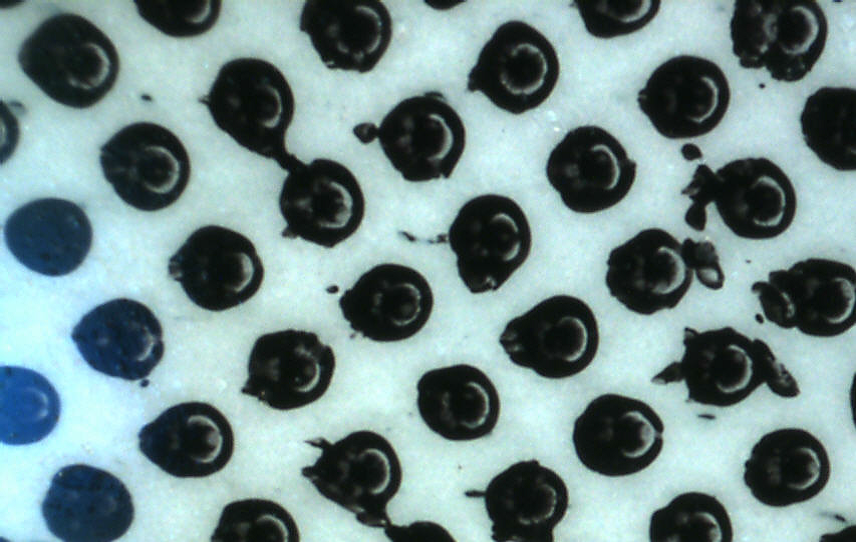
| POSSIBLE CAUSE | POSSIBLE SOLUTION |
|---|---|
| Ink is drying too fast | Slow the ink dry rate* |
| Too much heat from dryers or air blowing on print station | Reduce dryer heatEliminate air flow on print station |
| Too much anilox-to-plate or plate-to-substrate pressure | Reduce ink viscosity*Reset anilox and plate pressure |
*Wikoff Color Technical Data Sheets list the recommended additives for dry rate and viscosity adjustments
11. Foaming
Ink is foaming in reservoir.
| POSSIBLE CAUSE | POSSIBLE SOLUTION |
|---|---|
| Ink pump is too vigorous | Remake Reduce power/air to ink pump |
| Ink viscosity is too high | Reduce ink viscosity* |
| Not enough defoamer in ink | Add defoamer to ink, small amounts at a time |
*Wikoff Color Technical Data Sheets list the recommended additives for viscosity adjustments
12. Poor trapping
Second-down ink doesn’t lay well over the first-down ink.
| POSSIBLE CAUSE | POSSIBLE SOLUTION |
|---|---|
| First-down ink is drying too slowly | Use lower volume anilox for first-down inkIncrease heat and air flow on first-down unitReduce viscosity of first-down ink* |
| Second-down ink is drying too fast | Skip a unit between first-down and second-down inkSlow down the second-down ink dry rate |
*Wikoff Color Technical Data Sheets list the recommended additives for viscosity and dry rate adjustments
13. Streaking
A continuous line is showing up in your print area.

| POSSIBLE CAUSE | POSSIBLE SOLUTION |
|---|---|
| Particles are lodged under the doctor blade | Filter ink and clean behind the doctor blade |
| Anilox roller is scratched | Replace anilox roller |
| Doctor blade is nicked | Replace doctor blade |
14. Blocking
The ink is offsetting onto the backside of the stock in rewind.
| POSSIBLE CAUSE | POSSIBLE SOLUTION |
|---|---|
| Ink is drying too slowly | Ink is drying too slowly |
| Rewind is wound too tightly | Reduce rewind pressure |
| Rewind temperature is too warm | Reduce web temperature before rewind with a chill roller |
15. Bridging/filling in
The print is connecting in small type and screens.
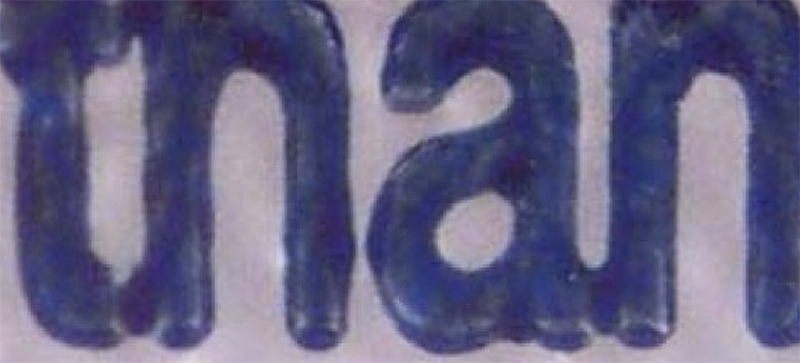
| POSSIBLE CAUSE | POSSIBLE SOLUTION |
|---|---|
| Anilox cell volume is too high | Change to higher screen count, lower volume anilox |
| Ink is drying too fast | Slow the ink dry rate* |
| Ink viscosity is too high | Reduce ink viscosity* |
| Rubber roller is too soft | Change to a harder durometer rubber roller |
| Improper anilox roller settings | Adjust anilox roller to “kiss” impressions |
*Wikoff Color Technical Data Sheets list the recommended additives for viscosity and dry rate adjustments
Get Technical Support
If you’re still not seeing the results you need on press, we’ll be glad to help you troubleshoot your water-based flexo issues. Give us a call or send us a message and the Wikoff Technical Solutions team will work with you to get your press back up and running smoothly. We are your experts, and happy customers are our number one priority